Notice Board
Midweek and weekend rosters, cleaning and A/V schedules and general notices - posted once, read by everyone on their phone.
Notices, meeting parts, territory maps, field service reports and records - together in one app. Simple on the phone for every publisher, complete on the computer for elders and servants.
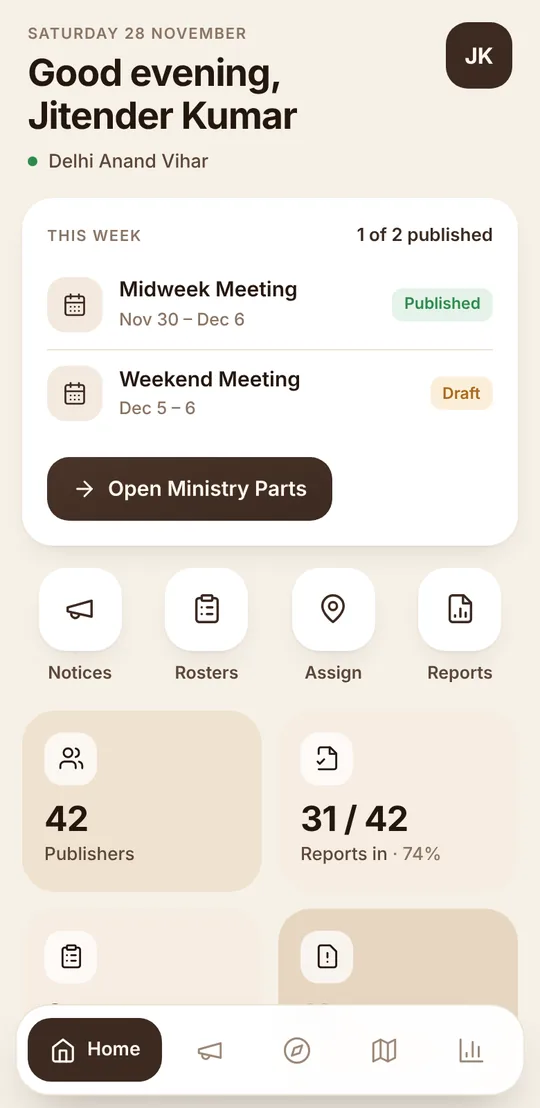
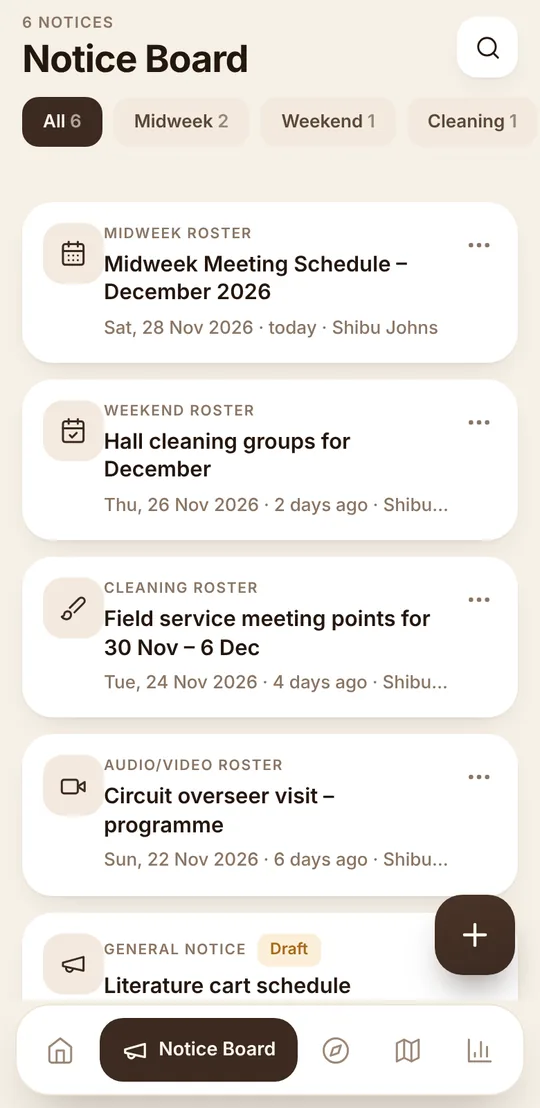
Screens shown with sample data.
Each module does one job clearly. Together they replace the loose papers, spreadsheets and group chats.
Midweek and weekend rosters, cleaning and A/V schedules and general notices - posted once, read by everyone on their phone.
Prepare the meeting programme week by week, publish it, and keep every roster with its original file.
Draw a territory with a fingertip, split it along the streets and turn it into territory cards.
See which cards are available, assigned or out too long. Assign, take back and print in a few taps.
My territory on the map, houses marked as you go, time added and the monthly report sent from the phone.
Whose report is in and whose is missing, group by group - with a WhatsApp reminder for the ones still to send.
Everything that happened in every module, kept in one history - open any record, or download it all.
Everyone in the congregation by section, with Call, WhatsApp and Message one tap away.
One place for what you have to do now and what happened - each line opens the exact page.
Tap the corners of a territory on the map, let MinistryMap split it into cards along the streets, and assign a card to a publisher in a few taps.
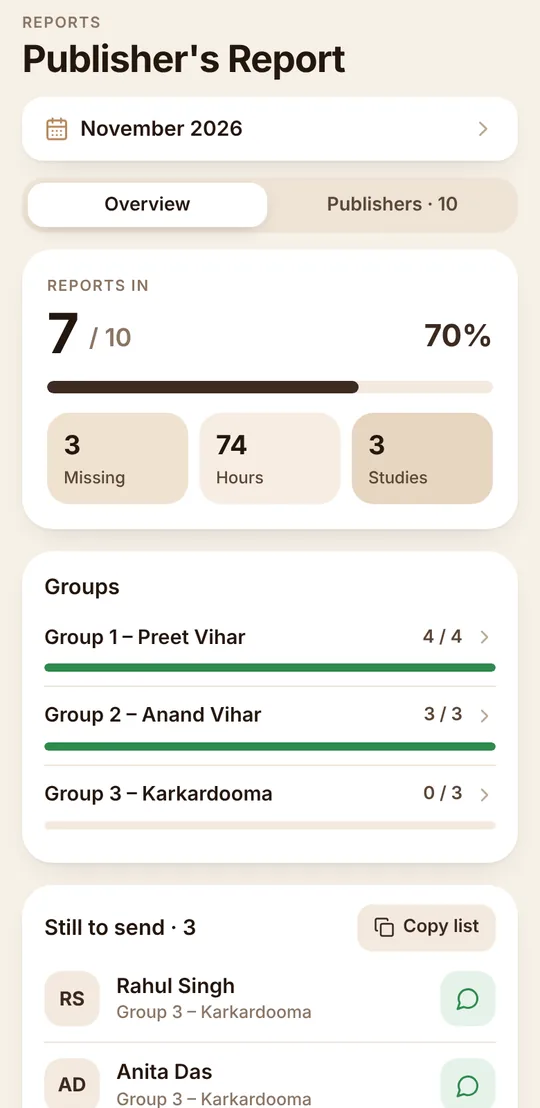
Publishers send their monthly report from the phone. Elders see who has sent and who has not, group by group, and remind the rest on WhatsApp.
What a person can open depends on how they serve. The server checks every request, not just the app.
An elder sets up the congregation and its groups.
Names, groups and phone numbers - each person gets the view that fits how they serve.
Publishers install the app and sign in with their own phone number.
Install MinistryMap on the phone and the computer.